Record your screen. Send the proposal. The client accepts on the link.
You explain it on video, the proposal sits on the same page, and you see how much they watched before deciding.
What is Socialfy ECO?
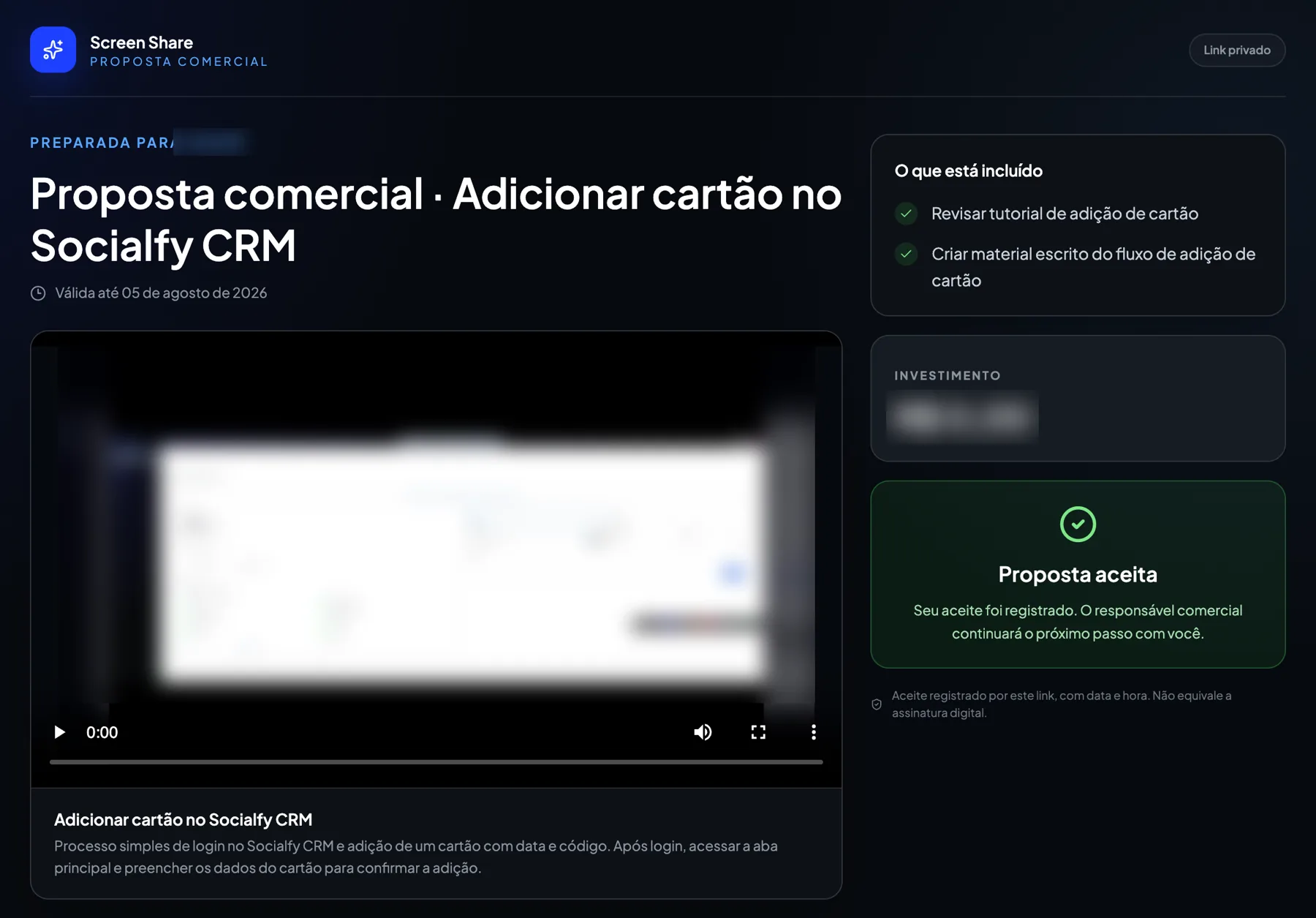
Socialfy ECO is a video proposal tool: you record your screen explaining it, the proposal sits on the same page, and the client accepts it right there, on the link.
As of October 2026, ECO dubs the video into 14 languages, including English, Spanish, French, German, Italian, Japanese and Chinese. Source: the product's own language list, checked on October 22, 2026.
Updated on October 22, 2026.
From recording to acceptance, on one link.
Record your screen and voice
With the Chrome extension, and the camera on if you want to appear.
Build the proposal below the video
Problem, solution, what is included, investment and expiry date.
The client accepts on the page
Acceptance is recorded with date and time, next to the proposal.
The video comes out ready, no editor needed.
Automatic transcript
The text of what you said stays with the video.
Dubbing in 14 languages
The same proposal for a client who speaks another language.
Silence removal
Long pauses are cut on their own.
Acceptance is recorded on the link, with date and time. It is not a digital signature.
How is it different from sending a PDF proposal?
| PDF proposal | ECO | |
|---|---|---|
| Who explains the proposal | The client reads it alone | You, on video, in your own voice |
| Whether they opened it | You do not know | Views per proposal |
| Where they lost interest | You do not know | Retention curve across the video |
| How they accept | Reply by email or WhatsApp | Accept button on the page itself |
| Client who speaks another language | Another translated document | The same video, dubbed |
You see where they stopped.
How many times they opened it and at which part of the video attention dropped. Before the follow-up, you already know which part to explain again.
- Views per proposal
- Retention curve across the video
- Proposals with an expiry date
Example with demo data.
Before you send the first one.
Does the client need to install anything?
No. They open the link in the browser, watch and accept on the same page.
Does acceptance count as a signed contract?
No. It records that the client accepted, with date and time. For a legally binding contract, use a digital signature.
Do I get notified when they accept?
Acceptance shows up in the proposal panel. Automatic alerts to the rep do not exist yet.
Does it work on the client's phone?
Yes. The proposal is a regular page: it opens in the phone or computer browser, with no login.
Does the proposal expire?
Yes. You set the expiry date and it shows on the page, next to the video and the investment.